Charades on a Long-Distance Family Christmas Video Call
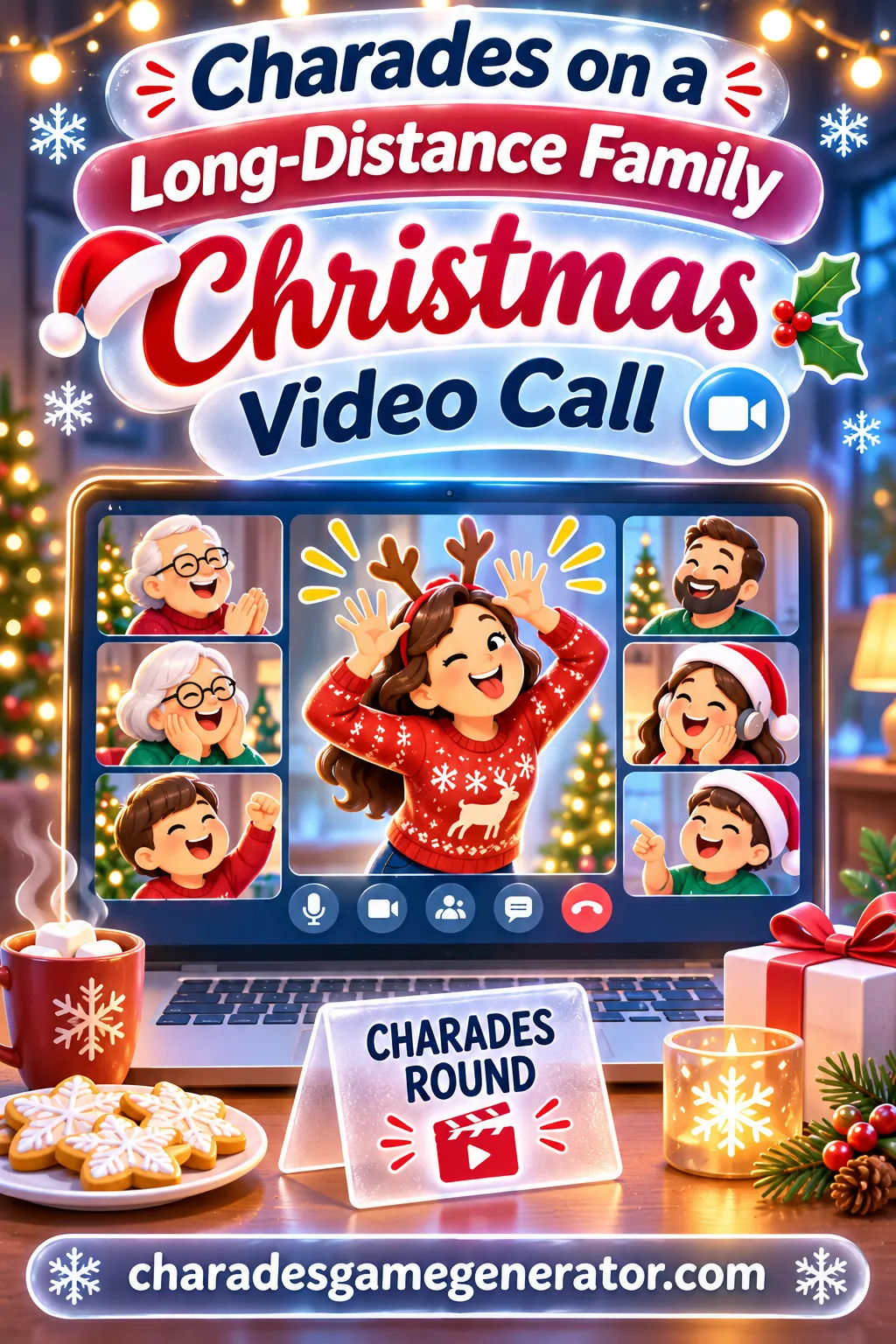
The fix for a quiet family Christmas call is to play charades with every household as its own team: one host runs a free charades game on a phone, sends each word to the actor in a private message, and calls time for everyone. It takes about two minutes to set up, it works on any video app with a chat box, and it gives Grandma, the cousins and the in-laws something to do besides wave and ask about the weather.
Below you'll find the exact settings to use in our free online charades game, a host script you can read word for word, scoring tables, ready word lists for every age, and fixes for the problems that pop up when twelve people share one call across four time zones.
Why Christmas Calls Go Quiet (and Why Charades Fixes It)
You know the pattern. Everyone joins, the hellos take five minutes, someone holds a baby up to the camera, and then it slides into silence. One person talks while the rest sit muted. The kids drift off screen. Somebody's uncle starts talking about traffic.
It isn't that your family doesn't love each other. Group video calls are just bad at conversation. Only one person can speak at a time, there's a delay, and nobody knows whose turn it is. A game fixes all three problems at once, because the game decides whose turn it is.
Charades is the best fit of all the Christmas video call games for a few simple reasons:
- It's visual. The whole point of a video call is the camera. Charades uses it.
- Lag barely matters. A one-second delay ruins a trivia buzzer race. It doesn't ruin watching someone pretend to wrap a present.
- Everyone already knows the rules. You don't need to teach Great-Aunt Linda anything new.
- It mixes ages. A six-year-old can act "snowman" and a seventy-year-old can guess it.
- Muted mics are fine. The actor is silent anyway, and guessers can unmute or type.
The one thing charades needs that a video call doesn't give you automatically is a secret word. If the word shows up on the shared screen, everyone sees it. That's where the private message trick comes in, and it's the heart of this whole plan.
The Household-as-a-Team Plan
The simplest structure for a long-distance family game is to make each home a team. Mom and Dad's house is one team. Your sister's family is another. The cousins in the other state are a third. If you've got a fourth home on the call, they're team four.
This works better than mixing people across households for a few reasons. People in the same room can whisper guesses to each other without talking over the call. They can share one camera, so the actor stands up and the rest of the family sits on the couch behind them. And it creates a little friendly rivalry between branches of the family, which is half the fun.
The free game supports 2, 3 or 4 teams, so this plan fits most families right out of the box. If you've got more than four households, combine the smallest ones (two single grandparents in different cities can be one team, for example). There's more on bigger calls in the troubleshooting section.
Who does what
| Role | Who should do it | What they do |
|---|---|---|
| Host | One organized adult with a phone and a laptop | Runs the game, sends words, calls time, keeps score |
| Actor | One person from the playing household | Reads the private word, acts it out on camera |
| Guessers | The actor's own household | Shout or type guesses |
| Other households | Everyone else | Watch, cheer, and wait for their turn |
| Scorekeeper (optional) | A teen who wants a job | Double-checks the score on screen |
The host can still play. When it's the host's own household's turn, they just hand the phone to someone else for one turn, or they act and let the scorekeeper run the device. More on that below.
What you need
- A video call app everyone can join (any app with a group chat or private message feature).
- One phone or tablet for the host to run the charades game.
- A laptop, tablet or phone for each household to join the call.
- Ideally, the actor in each household has their own phone with the chat open so they can see the private word.
That's it. No app downloads, no accounts, no printing.
The Private Word Method, Step by Step
This is the part that makes the game work. The host is the only person who sees the word on the charades game. They pass it privately to the actor. Here's exactly how a turn flows.
- The host keeps the game on a separate device. Run the charades game on your phone, not on the laptop you're using for the call. Never share your screen while the game is open.
- The host announces the turn. "Okay, the Martinez house is up. Who's acting?"
- The actor gets ready. They step back from the camera so their whole upper body shows, and they open the call's chat or their text messages.
- The host looks at the word and sends it privately. In most video apps, you can pick one person in the chat box instead of "Everyone." Type the word and send it to the actor only. A family group text to just that person works too.
- The actor gives a thumbs up. That means "I've got it." The host taps start on the timer.
- The actor acts. Their household guesses. Other households stay muted and watch.
- When someone guesses right, the host taps ✓ GOT IT! A new word appears on the host's screen. The host sends it privately again, and the actor keeps going until time runs out.
- If the word is too hard, the actor waves both hands. That's the signal for the host to tap ↷ Skip — too hard! and send a new one.
- Time's up. The host announces it, reads the score from the Current Scores screen, and taps Next Team's Turn.
The send-a-word step takes about three seconds once you get the hang of it. That small delay is actually nice: it gives everyone a moment to laugh at the last word before the next one starts.
A faster option for tech-savvy families
If one household is comfortable with it, the actor can open the game on their own phone and play their turn locally. They see the word, act, and tap ✓ GOT IT! themselves. The downside is that scores then live on separate devices, so the host has to write down each team's total by hand. For most families, keeping one device with the host is simpler and keeps the score honest.
Picking the right chat tool
| Option | How private is it | Best for |
|---|---|---|
| Video app's private chat | Very, if you pick the actor's name | Families already on a laptop |
| Text message to the actor | Very | Actors who have their phone nearby |
| Family messaging group | Not private | Don't use it for words |
| Holding a card up to the camera | Not private | Don't use it for words |
| Whispering into the actor's ear (same house only) | Private | When the host and actor share a room |
The biggest mistake hosts make is typing the word into the main chat by accident. Before the game starts, send a test message to one person and ask them to confirm nobody else saw it. Thirty seconds of checking saves a lot of groaning later.
How to Set It Up in the Game
Open the free charades game with a timer and teams on the host's phone about ten minutes before the call. Here are the exact settings for a typical family Christmas call.
Set Up Your Game:
- Teams: pick the number of households on the call (2, 3 or 4).
- Category: Christmas. It's built in, so you don't need to type a single word if you don't want to.
- ✏️ Add Custom Words (optional): add 10 to 20 family-specific words. Ideas are in the word list section below, like "Grandpa's famous pancakes" or "the year the tree fell over." Type each one and tap + Add.
- Timer: 90 sec. Video calls need a little extra time because of the private-message step. Drop to 60 sec once everyone's comfortable.
- Rounds: 5. With three or four households, that's about 25 to 35 minutes of play, which is the sweet spot before kids lose interest.
- Difficulty: 🎲 Mixed if you've got a wide range of ages. Pick 😊 Easy if most actors are under ten or if Grandma's new to video calls.
Then tap to start. The game shows the first word, and you're off.
Settings by family type
| Your call looks like | Teams | Category | Timer | Rounds | Difficulty |
|---|---|---|---|---|---|
| Two homes, mostly adults | 2 | Christmas | 60 sec | 7 | 😤 Hard |
| Three homes with young kids | 3 | Christmas | 90 sec | 5 | 😊 Easy |
| Four homes, all ages | 4 | Christmas | 90 sec | 3 or 5 | 🎲 Mixed |
| Grandparents plus grandkids only | 2 | Kids or Christmas | 2 min | 3 | 😊 Easy |
| Teens and young adults who want a challenge | 2 or 3 | Christmas, then Movies | 60 sec | 7 | 😤 Hard |
| A short game before presents | 2 to 4 | Christmas | 60 sec | 3 | 🎲 Mixed |
Don't worry about getting it perfect. If the first game feels too slow, tap Play Again when it ends and pick a shorter timer.
A Host Script You Can Read Out Loud
Hosting a long-distance game is mostly about keeping the energy up and making it clear whose turn it is. Here's a script you can read straight off your phone. Change the names, keep the rhythm.
Opening (about one minute):
"Okay, everybody! Before we all start talking at once, we're playing Christmas charades. Each house is a team. When it's your house's turn, one person acts, and only your house guesses. Everyone else stays muted and gets to enjoy the show. I'll send the actor their word in a private message, so nobody else can see it. Got it? Great."
Rules check (thirty seconds):
"No talking, no mouthing words, no pointing at things that spell it out. Hold up fingers for how many words. If your word is too hard, wave both hands and I'll skip it. Every right guess is one point."
Starting a turn:
"Up first, the Johnson house! Who's our actor? Great, open your chat. Thumbs up when you see the word… and go!"
During a turn (when it gets quiet):
"Thirty seconds left, Johnsons!" or "Come on, Grandpa, you've got this!"
After a right guess:
"Yes! That's one. Next word's coming, check your chat."
Time's up:
"Time! That's three points for the Johnsons. Next up, Aunt Rosa's house!"
Ending:
"And that's the game! Final scores… the winner gets bragging rights until next Christmas. Same time next year?"
A good host also does one thing the script doesn't say: they keep an eye on who's being left out. If one household hasn't laughed in ten minutes, give them a word that's easy to guess on their next turn, or ask a grandparent to be the actor, because everyone loves watching Grandma pretend to be a reindeer.
Scoring Options for Video Call Charades
The game keeps score for you. Each ✓ GOT IT! adds a point for the team that's playing, and you'll see everyone's totals on the Current Scores screen after each turn. The simple rule (one point per word guessed) works for most families. But here are a few house rules you can add if your family likes a twist.
| Scoring rule | How it works | When to use it |
|---|---|---|
| Classic | One point per word guessed. Skips cost nothing. | Most families, first game |
| Fewest skips | Skips are free, but the house with the fewest skips gets a bonus cheer at the end | Competitive cousins |
| Kid bonus | When a child under ten acts, the host adds one bonus point by hand at the end | Mixed-age calls where kids feel outmatched |
| Steal | If the acting household can't guess it before time runs out, the next house gets one shout to steal it | Small calls with 2 or 3 homes |
| Grandparent round | Final round, only grandparents act, and their points count double on paper | Calls where the grandparents are the stars |
| Everyone guesses | Any household can guess, and the first correct one gets the point on paper | Very small families, two homes only |
Keep the extra rules light. Long-distance calls already have enough moving parts, so one twist is plenty. If you use a rule the game doesn't track (like a kid bonus or a steal), jot it on a sticky note and add it to the final score at the end.
Settling ties
If two households tie, play one sudden-death word each, with the host calling time out loud after 30 seconds. The fastest correct guess wins. Or just declare it a tie and say everyone gets dessert, which is the most family-friendly answer there is.
Christmas Word Lists for Your Custom Words
The built-in Christmas category already has plenty of holiday words, so you can play without adding anything. But family-specific words make a long-distance game feel personal, and they spark the best laughs. Here are ready-made lists you can type into ✏️ Add Custom Words.
Easy words (great for kids and first-timers)
- Snowman
- Reindeer
- Candy cane
- Present
- Stocking
- Sled
- Elf
- Mittens
- Cookie
- Snowflake
- Bell
- Star
- Wreath
- Ornament
- Hot cocoa
- Scarf
Medium words (most of the family)
- Wrapping a present
- Hanging lights on the house
- Building a snowman
- Ice skating
- Baking cookies
- Writing a letter to the North Pole
- Shoveling snow
- Decorating the tree
- Caroling door to door
- Opening a gift
- Snowball fight
- Making a paper snowflake
- Putting on a winter coat
- Leaving cookies by the fireplace
- Flying sleigh
Hard words (teens and adults)
- Untangling Christmas lights
- Waiting for the airport shuttle
- Assembling a toy at midnight
- Re-gifting a fruitcake
- Burning the holiday ham
- Last-minute shopping
- Pretending to like a sweater
- Kids waking up at dawn
- Searching for the tape
- Snowed in at the cabin
- Writing holiday cards
- Getting tangled in garland
- Falling asleep after dinner
- Tree too tall for the room
Family memory words (make your own)
These are the secret weapon. Write 5 to 10 words that only your family would get. A few patterns to borrow:
- "Grandpa's famous pancakes"
- "The year the tree fell over"
- "Uncle's terrible singing"
- "Our dog stealing the turkey"
- "The great snowstorm trip"
- "Mom hiding gifts in the closet"
- "The cousins' living room fort"
- "Burnt cinnamon rolls"
Swap in your own family's stories. When one of these comes up and the actor starts acting it out, the whole call will be laughing before anyone guesses. Want more ideas? Our Christmas charades ideas page has a longer holiday list, and the holiday charades page covers other winter celebrations if your family mixes traditions.
Acting on Camera: Tips for Every Actor
Acting through a webcam is different from acting in a living room. The frame is small, the picture can blur, and half your body might be hidden behind the kitchen table. Share these tips before the first turn, or drop them in the group chat the day before.
Step back. Most people sit too close to the camera. The actor should stand or sit far enough back that their head, arms and belly all show. A quick test: if you raise both hands over your head, can everyone still see your fingers?
Light your face. Turn on a lamp in front of you, not behind you. A bright window behind the actor turns them into a dark shape, and nobody can read a facial expression in silhouette.
Go big and slow. Small gestures disappear on video, and fast ones blur. "Wrapping a present" should be a huge fold, a slow tape pull and a giant bow. Pretend you're acting for someone at the back of a theater.
Use the frame. You can walk into the shot to show "arriving," duck out of it to show "hiding," or lean close to the lens for something tiny like a snowflake landing on your nose.
Face the camera, not the screen. It's tempting to watch yourself in the little preview box. Look at your family on the screen instead, so you can see who's close to the answer and point at them.
Mind the mirror. Many apps flip your own preview, so your left looks like your right. It doesn't matter much for charades, but it can confuse kids who are trying to point at something. Tell them to just ignore the preview.
Classic signals that work on video
| Signal | What it means | Video tip |
|---|---|---|
| Fingers held up | Number of words | Hold them high and still for two seconds |
| Fingers on your forearm | Which word you're acting | Turn sideways so the arm shows |
| Tug your ear | Sounds like | Exaggerate it, ears are small on camera |
| Pinch fingers together | Short word | Bring your hand close to the lens |
| Stretch hands apart | Longer version of the word | Do it slowly |
| Point at your nose | Someone said it exactly right | Point at the camera too |
| Wave both hands | Skip, please | Host taps ↷ Skip — too hard! |
If your family's never used charades signals, keep it to just the first three. Our charades hand signals guide has the full set if you've got a crowd that loves the details.
Making It Work for Every Age on the Call
A family Christmas call might include a toddler, three teenagers, two busy parents and a grandparent who's still figuring out the mute button. Here's how to keep everyone in.
Little kids (ages 3 to 6). Pair them with a grown-up in their house. The adult reads the private message, whispers the word, and the child acts it out. Easy words only: snowman, reindeer, bell, cookie. A child acting "reindeer" with their hands as antlers is pure joy for the grandparents watching, even if it takes the whole timer.
Kids (ages 7 to 12). They can usually read the private word and act on their own. Give them the 😊 Easy setting, or keep 🎲 Mixed and let them skip freely. Kids this age love being the actor, so let them take extra turns if their household agrees.
Teens. The secret to getting teenagers involved is giving them a job. Make one teen the scorekeeper, another the "chat runner" who helps the host send words. Teens also tend to love the hard words and the family memory words, since they're old enough to remember the funny stories.
Adults. Most adults are happy to play once someone else is organizing. The host's biggest job with adults is keeping turns moving, since grown-ups like to chat between rounds.
Grandparents. Make it easy to join. Call them the day before and walk through how to open the chat, or ask someone in their area to set up their device. If the chat feature is tricky, the host can text the word to their phone instead. And never rush a grandparent's turn. If they need the full 2 min timer, give it to them.
When someone can't act
Some relatives would rather watch, and that's fine. They can be a "guest judge" who decides tie-breakers, or the official cheerleader who unmutes after every right guess to say "Wonderful!" For relatives who use a wheelchair or prefer to stay seated, every word on the lists above can be acted with hands, face and upper body. Point the camera at their shoulders and up, and they're in the game.
A Full Game Night Plan (Timed)
Here's a complete plan for a 45-minute Christmas call. Adjust times to fit your family.
| Time | What happens | Host's job |
|---|---|---|
| 0:00 to 0:10 | Hellos, catching up, showing off the tree | Let it happen, it's the best part |
| 0:10 to 0:12 | Explain the game | Read the opening script |
| 0:12 to 0:14 | Test the private chat | Send "test" to one actor, confirm it's private |
| 0:14 to 0:40 | Play 5 rounds | Send words, call time, cheer |
| 0:40 to 0:42 | Final scores | Read the Current Scores screen out loud |
| 0:42 to 0:45 | Bonus round or Play Again | Ask if everyone wants one more |
Two tips for timing. First, start the game while everyone is still energetic. Don't wait until the end of a long call when people are already saying goodbye. Second, if you've got a family dinner happening in one house, schedule the game for after dessert in that time zone.
Dealing with time zones
When one branch of the family is having breakfast and another is putting kids to bed, timing gets tricky. A few ideas:
- Pick a midday slot on the East Coast. That's morning on the West Coast and evening in Europe, which tends to work for the most people.
- Let the far-away house go first. If it's late where they are, give them the first turn so they can play and head to bed.
- Keep it short for the sleepy house. Set 3 rounds instead of 5 if someone's up past their bedtime.
- Play on a different day. Christmas Eve, the weekend before, or the day after are all fine. The point is playing together, not the exact date.
Troubleshooting Common Video Call Problems
Even with a good plan, things go a little sideways on a family call. Here's how to handle the usual hiccups.
"Everyone's talking at once." Remind people the rule is simple: only the acting house guesses. Everyone else mutes. If you have a host feature, you can mute everyone except the playing household during their turn.
"The word showed up in the group chat!" It happens. Tap ↷ Skip — too hard! to get a fresh word, laugh it off, and double-check the "send to" box before the next one.
"The video froze mid-act." Pause the timer if you can, or give the house a do-over turn. Don't count that turn against them. Ask the actor to turn off any background effects or virtual backgrounds, which can chop off arms and hands.
"Grandpa can't see the private chat." Text the word to his phone instead. Or let someone in his house read it and whisper it to him.
"One house keeps winning." That's usually the house with the most teenagers. Try the kid bonus rule, give the struggling house first pick of words from the 😊 Easy list, or switch to the "Everyone guesses" rule for a round to shake things up.
"Someone says the guess was close enough." Decide this up front: the house guesses the main word, and small differences like "snowmen" for "snowman" count. The host has the final call. If there's a real argument, have everyone vote with a thumbs up or thumbs down on camera.
"We have more than four households." Combine homes into four teams. Two smaller homes can share a team and take turns acting. Or play two games: one for the grown-up households, one for the cousins.
"The kids wandered off." Bring them back with a job. Ask them to act the next word for their house, or let them pick the category for the next game. Kids also love the Kids category, which has words they'll recognize instantly.
"Our audio echoes." That happens when two devices in the same room are both on the call. Have one device per house join with audio, and mute the other.
For a broader guide to running charades on any video platform, our virtual charades on Zoom page covers more technical setup tips.
Fun Variations for the Second Game
Once your family has played one round, you may want to mix it up. Here are a few twists that work well over video.
Mirror round. Two households act at the same time. Each actor gets the same word in a private message and acts it out simultaneously. Whichever household guesses first gets the point. It's chaos, and it's hilarious.
Grandparent-only round. Every grandparent on the call gets one turn as the actor. Their own household guesses. It's a great way to put the spotlight on the people everyone came to see.
Kids versus grown-ups. Forget households. Make two teams: kids and adults. This works especially well on calls where the cousins are scattered across several homes and haven't seen each other all year.
Category switch. After a Christmas game, try a second game with the Animals or Movies category for a break from holiday words. Or pick Kids if the little ones are begging for another turn.
Slow motion round. Every word has to be acted out in slow motion. It's easier to see on video, and watching Dad shovel snow in slow motion never gets old.
One-word turns. Set the timer to 30 sec and give each actor only one word. It's a quick way to fit in everyone before the call ends.
Before the Call: A Final Checklist
Before the big day, run through this quick list:
- Send the call link and the game time to every household.
- Decide who the host is.
- Ask each household to pick a team name (optional, but fun).
- Open the charades game, set your teams, category, timer, rounds and difficulty.
- Add 10 to 20 family memory words with ✏️ Add Custom Words.
- Test the private chat with one person.
- Charge your phone. The host's device runs the whole game.
That's all it takes to turn a quiet holiday call into the best part of the day. When you're ready, open our free charades game on your phone, pick the Christmas category and let the first household take a bow.
Frequently Asked Questions
What are the best Christmas video call games for families?
Charades is one of the easiest because it uses the camera, everyone knows the rules, and lag doesn't spoil it. Other good options are holiday trivia and "show and tell" for gifts. For mixed ages, charades usually wins because even small kids can act out "snowman."
How do you keep the charades word secret on a video call?
The host runs the game on a separate phone, not the shared screen. When a word appears, the host sends it to the actor in a private chat message or text. The actor gives a thumbs up, and the timer starts.
How many households can play at once?
The free game supports 2, 3 or 4 teams, so up to four households can each be their own team. If you've got more homes than that, combine smaller households into one team. They can take turns acting.
What timer should we use for a video call?
Start with 90 sec, since sending the private word takes a few seconds and video can lag. Once everyone's comfortable, 60 sec keeps things lively. Use 2 min for young kids or grandparents who are new to the game.
Can young kids play over video?
Yes. Pair kids under six with a grown-up in their house who reads the word and whispers it. Use 😊 Easy difficulty or the Kids category. Grandparents usually love watching the little ones act, so it doesn't matter if the turn takes a while.
Do we need to download an app?
No. The charades game runs in any phone or tablet browser with no app and no signup. You only need the video call app your family already uses, plus a chat or text message to send the word.
How long should a family Christmas charades game last?
About 25 to 35 minutes is a good target, which is 5 rounds with three or four households. That's long enough for everyone to act at least once and short enough that kids stay interested. You can always tap Play Again for a bonus game.
Can we add our own family words?
Yes. Use ✏️ Add Custom Words before you start and type in family jokes, traditions and memories, like "the year the tree fell over." Tap + Add after each one. These words usually get the biggest laughs of the night.